Dead Zone Revive Tools
Planners and checklists to prep five-slot teams before every deploy.
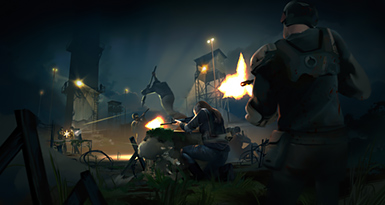
The tools hub collects interactive and printable utilities that complement the written guides on this wiki. Dead Zone Revive asks you to make the same decisions repeatedly: which five survivors deploy, which district matches today’s crafting goal, whether compound storage can absorb the haul, and if alliance raids require a defensive pivot. Tools reduce friction on those decisions without replacing hands-on learning from Guides hub pages.
Available tools
Loadout Planner — pick a mission focus (loot run, combat clear, raid/defend) and balance class roles across five slots. The page includes an interactive planner when the component is enabled in your build; the written guide explains the mindset even if you plan on paper.
Resource Checklist — track compound construction priorities and mission mat targets before you leave base. Syncs conceptually with Schematics and Compound Setup.
Future tools (DPS calculators, raid timers) may appear as Early Access systems stabilize. Watch Updates for announcements.
When to use tools versus guides
| Need | Use | Why |
|---|---|---|
| First hour in game | Getting Started | Narrative onboarding |
| Repeat deploy optimization | Loadout Planner | Fast role checks |
| Craft queue planning | Resource Checklist | Prevents empty-handed extracts |
| Mechanic deep dive | How to Play | Context tools lack |
| Meta pick | Tier List | Community rankings |
Tools assume you already understand classes from Players hub and districts from Map hub. Run through Scavenging Missions once before relying on checklists alone.
Tool workflow for a typical session
- Check Updates for patch changes to missions or crafting.
- Open Resource Checklist — note missing mats for active schematics.
- Pick district on Districts and Locations and mission type on Mission Types.
- Open Loadout Planner — assign Leader plus four role specialists.
- Verify weapons and gear from Items hub — attachments filled, durability repaired.
- Deploy, extract, bank loot, update checklist.
Early Access caveats
Some interactive widgets depend on client data that is not restored yet. If a dropdown is empty, use the markdown tables inside each tool page and update manually. Report broken tools after major patches so wiki maintainers can adjust copy.
Cross-links
- Guides hub — mechanics and walkthroughs.
- Players hub — class roles for planner slots.
- Items hub — gear validation.
- Tier List — meta survivors.
- Links hub — official play links and reviews.
Good tools make compound nights shorter and mission mornings safer. Bookmark this hub next to your Guides tab.
Frequently Asked Questions
Quick answers for survivors in the Dead Zone.
Do tools replace in-game UI?
No. They prep decisions before you click deploy. Always confirm travel costs and requirements in the live client.
Is the Loadout Planner official?
It is a fan wiki utility aligned with class roles described by Ruby Realms Studios. It is unofficial and may lag patches.
Can I use checklists on mobile browser play?
Yes. The pages are static-friendly; tick mentally or copy the lists to your notes app.
Where do tools get mission type names?
From legacy Dead Zone formats and Early Access UI strings: loot run, combat clear, raid/defend.