Dead Zone Revive Guides Hub
Walkthroughs and deep dives for the fan-licensed isometric survival RPG revival.
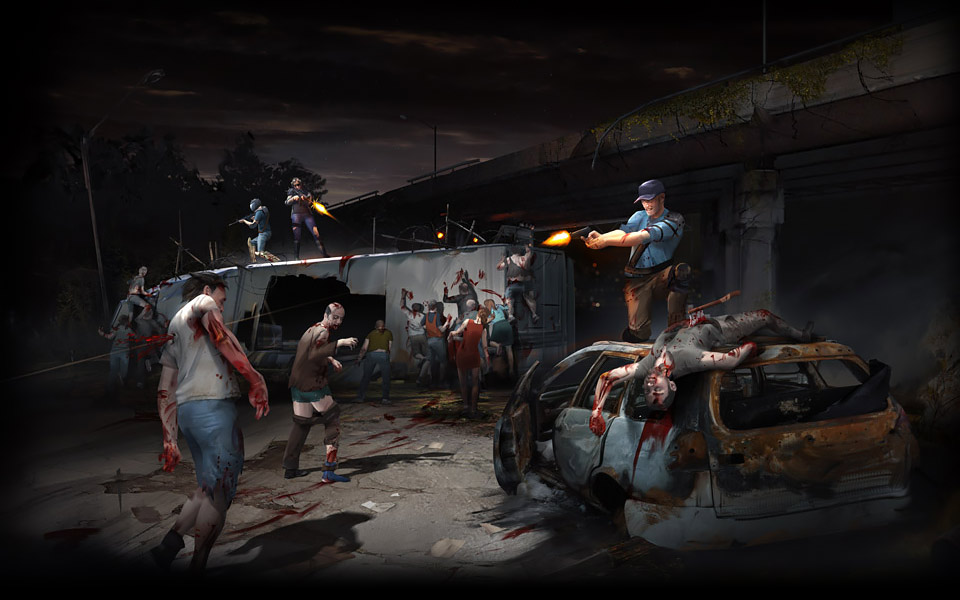
Welcome to the Dead Zone Revive guides hub. This is a not-for-profit fan-run project in agreement with Con Artist Games, and these pages are written for players on browser at deadzonegame.net or Steam Early Access. Whether you are loading the game for the first time or returning after a break, start here and follow the links below.
Dead Zone Revive is a free-to-play licensed revival of the classic isometric survival RPG developed by Ruby Realms Studios and Switch Compagnie. Early Access means some systems may still be incomplete, so treat patch notes on the Updates hub as the source of truth when a guide and live build disagree.
New player path
If you have never played a Dead Zone-style compound game, follow this order:
- Getting Started — account setup, first survivor, and your first hour goals.
- How to Play — the core loop: compound, missions, crafting, and social systems explained end to end.
- Controls — keyboard, mouse, and UI shortcuts so scavenging feels natural.
- Beginner Tips — mistakes to avoid and habits that pay off in the first week.
That four-page path covers onboarding without overwhelming you. After that, specialize based on what you enjoy most.
Combat and missions
Real-time scavenging is where most players spend their session time. Scavenging Missions explains mission types, loadout choices, extraction, and how mission loot feeds your compound. Pair it with the Loadout Planner when you want to theory-craft before leaving base.
Survivor roles matter on every run. Read the Players hub and Class Overview to understand Leader, Fighter, Scavenger, Engineer, Medic, and Recon strengths. The Tier List summarizes community rankings when you need a quick pick for a new character.
Base building and economy
Your compound is the long-term project. Compound Setup walks through walls, defenses, storage, and layout priorities so raids hurt less. Crafting and Loot covers the massive item pool — 30,000-plus craftable and lootable pieces with rarity tiers — and how to filter noise from upgrades.
Use the Resource Checklist to track mats you still need for key crafts. The Items database is the reference when you are hunting a specific mod or blueprint.
Social play and endgame pressure
Alliances and player raiding add PvP-adjacent tension to an otherwise PvE-focused loop. Alliances and Raiding explains how to join allies, share intel, and harden your base against human attackers without burning out on politics.
Roster and night defense
Specialists only help if they stay fed and housed — Recruitment and Morale covers offers, hunger, and dorm capacity. When dusk hits, Defense and Traps layers barricades, trap belts, and gun lines on top of Compound Setup.
On desktop, the Guides dropdown shows a shortlist plus View all — open this hub anytime for Defense, Recruitment, and the full index.
Explore the rest of the wiki
Guides explain how; other sections help you decide:
- Map — mission zones and travel context.
- Links and Review — honest impressions of the revival and where to play.
- Updates — Early Access and Steam and Platforms timing.
- Community Links — forum and Discord.
Quick reference table
| Guide | Best for |
|---|---|
| Getting Started | First launch and day-one checklist |
| How to Play | Full game loop overview |
| Controls | Input reference |
| Scavenging Missions | Mission runs and loadouts |
| Compound Setup | Base layout and rooms |
| Defense and Traps | Nights, barricades, trap lanes |
| Recruitment and Morale | Hiring, hunger, mood |
| Crafting and Loot | Items, rarity, and crafting |
| Alliances and Raiding | Social systems and base raids |
| Beginner Tips | Shortcuts and common mistakes |
Pick one guide, finish it, then cross-link to the next topic in your build. Dead Zone Revive has no pay-to-win monetization — progress comes from missions, crafting, and smart compound planning.
Frequently Asked Questions
Quick answers for survivors in the Dead Zone.
Which Dead Zone Revive guide should I read first?
Start with Getting Started, then How to Play and Controls. Add Scavenging Missions once you are ready to leave the compound regularly.
Are these guides accurate during Early Access?
We update guides when major systems change. Early Access builds can shift quickly — check the Updates hub if something in-game does not match a page.
Do I need Steam to follow these guides?
Most advice applies to both browser play at deadzonegame.net and the Steam app. Platform-specific notes are called out inside individual guides.
Where do survivor classes fit in?
Class choice affects missions and compound roles. Use Class Overview and the Tier List alongside combat guides like Scavenging Missions.